Reports
Reports in paiyroll® support a variety of functions including:
The electronic equivalent of a paper report. Examples:
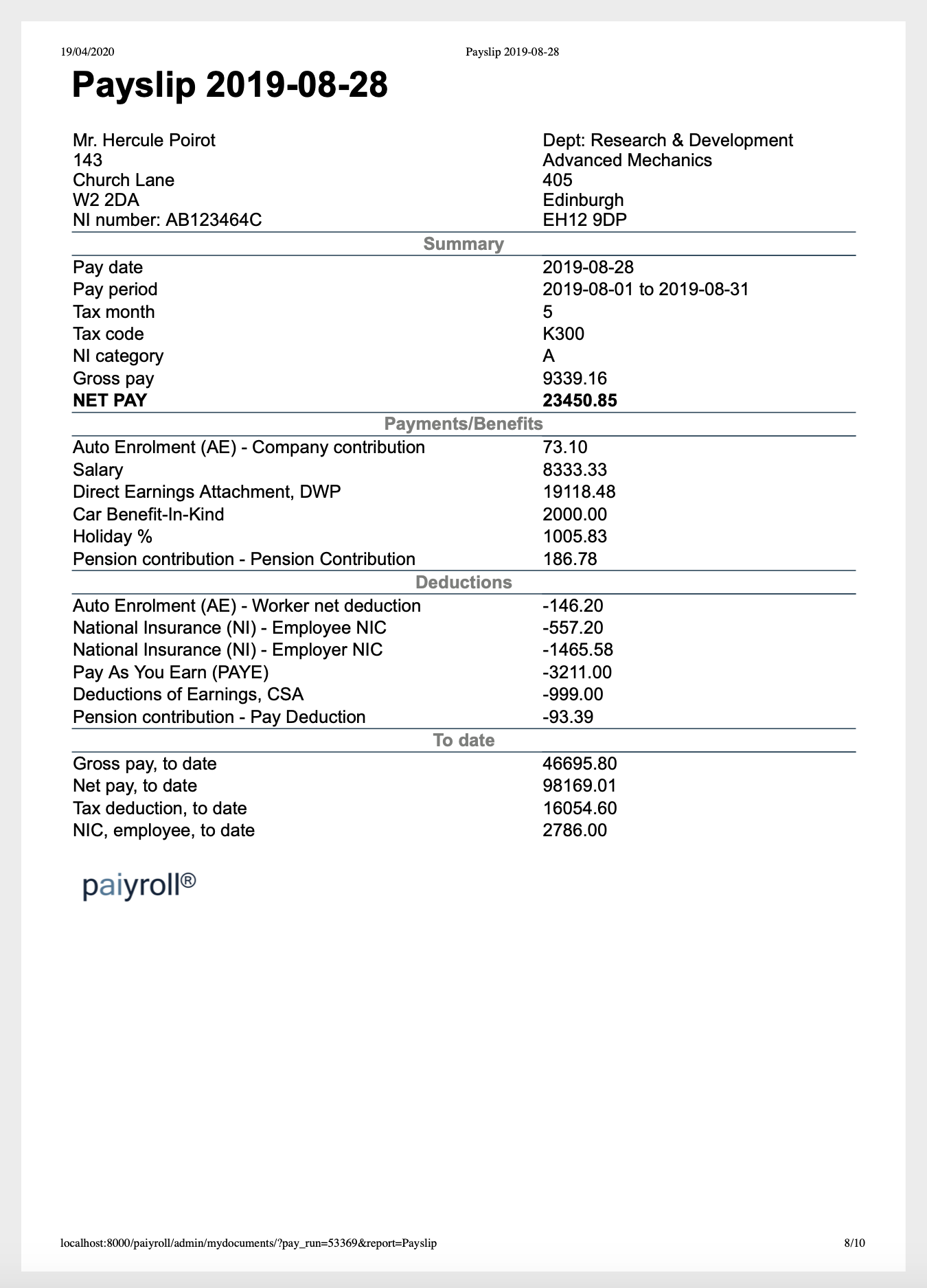
Payslips
Pre-approval reports showing summary information about a pay run.
Analytic reports covering, for example multiple pay runs.
Automated sending of information. Examples:
Sending information about a pay run to the tax authority.
Sending information about pension contributions to a pension provider.
Automated receiving of information. This is covered in more detail under Data Feeds, but examples include:
Updating company or worker tax information using information fetched from the tax authority.
Uploading worker’s Pay Item values using information fetched from an external file or system.
Reports can have upto two aspects which reflect this diversity:
- submission aspect
The submission aspect performs the automated sending or receiving of information using Workflow Definitions to handle the automated steps involved.
- view aspect
The view aspect is typically invoked by clicking on a document name on the My Documents page or the history of an entry on the My Data Feeds. Depending on the type of report, the report can be viewed in (or saved or printed from) the browser, or can be downloaded as needed. For convenience, additional links are provided which can download multiple related documents in one step:
An administrator can fetch all the pre-approval reports for a pay run before it is approved, or all reports for a pay run afterwards.
A worker can fetch all their pay slips for a tax year.
Report Definitions
At configuration time Report Definitions instantiate Report Templates for use by a Company, and the available choices are by the governed by the Company’s country.
Note that any password settings are stored in encrypted form. However, unlike user passwords, they must be decrypted for use, so it is recommended that the browser is exited after any interaction with passwords in Report Definitions.
Report Templates
Reports Definitions are based on Report Templates which fall into Categories which define when they are invoked:
Category |
Notes |
|---|---|
Analytics |
See Analytics. |
Data feed using APIs |
See Data Feeds. |
Data feed requiring manual input |
See Data Feeds. |
Pay run review |
Invoked after a pay run to provide information relevant to approval of the run. |
Pay run approved |
Invoked after a pay run is approved. (Also invoked where possible before approval as a dry-run to verify credentials and, in some cases, even content). |
Employee pay run |
Invoked by a worker in order to view information about a pay run, notably their pay slip. |
Employee end tax year |
Invoked on each worker at the end of the tax year. For example, in the ‘GB’ country, this includes P60 generation. |
Employee end employment |
Invoked on each worker at the end of their employment. For example, in the ‘GB’ country, this includes P45 generation. |
Report Templates are associated with a country, and a Company can only use those matching its country, or “Universal”, from the table below.
Name |
Description |
Country |
|---|---|---|
Analytics |
||
Finance Journal |
Financial rollup of pay runs |
Universal |
Data feed pay run |
||
GB HMRC DPS |
HMRC Data Provisioning Service |
GB |
GB NEST Opt-Out |
AE NEST web services opt-outs |
GB |
GB People’s Pension opt-outs |
Fetch pension opt-outs |
GB |
Data feed start tax year |
||
GB PAYE tax code changer (P9X) |
Pre-start of tax year processing |
GB |
Data feed end tax year |
||
Data feed daily |
||
Data feed requiring manual input |
||
GB Upload workers CSV |
Add or update workers |
GB |
Upload shift CSV |
Uses PayPer-based shifts |
Universal |
Pay run review |
||
Pre-approval summary2 |
Pre-approval summary spreadsheet |
Universal |
Timesheets |
Timesheets in period |
Universal |
Worker payment (PDF) |
Worker payment PDF file format |
Universal |
Pay run approved |
||
GB BACS Barclays |
Barclays BACS File Format |
GB |
GB BACS Santander |
Santander BACS File Format |
GB |
GB NEST Enrol and Contribute |
AE NEST web services contribution and enrollment |
GB |
GB NEST contribution |
AE NEST contribution schedule |
GB |
GB NEST member |
AE NEST member enrolment |
GB |
GB Pension letters |
GB Pension letters |
GB |
GB People’s Pension contributions |
Submit pension contributions |
GB |
GB People’s Pension full file |
GB People’s Pension full file (csv) |
GB |
GB RTI EPS |
HMRC Employer Payment Summary |
GB |
GB RTI FPS |
HMRC Full Payment Submission |
GB |
GB SmartPension PAPDIS |
AE SmartPension PAPDIS 1.0 |
GB |
GB Wage analysis |
GB Wage analysis |
GB |
GB Xero journal |
Submit payroll journal |
GB |
Worker payment (txt) |
Worker payment text file format |
Universal |
Employee pay run |
||
Jinja (Employee pay run) |
Jinja Template - Employee pay run category |
Universal |
Payslip |
Payslip |
Universal |
Employee end tax year |
||
GB P60 |
Annual tax summary |
GB |
Employee end employment |
||
GB P45 |
Employment end summary |
GB |
Reporting engines
Report Templates are implemented using different engines depending on the nature of the report. These engines form the basis of the customisability (for text-based reports), behaviour of the report (for network-centric reports) and so on as described here.
Text files, flat
Flat text files can be specified using the following settings:
- Header template
Header
- Row template
Body specification
- Trailer template
Footer
- Filename
Output filename
Pre-defined templates using this engine are provided for common GB usage, and Universal usage, but definitions using these templates can be easily repurposed to generate any text output using the Header, Row and Trailer settings. Each setting is a string written using a macro language. The macro language can specify:
Fixed text.
Data items specified using the notation {dot.qualified.name}. Any part of the content of a Pay Run snapshot can be selected in this way. Generally the prefix of the name is just the key hierarchy in the snapshot, though for the “Row template”, the current employee is implicitly selected.
In addition, some predefined dot.qualified.names are added by the engine itself for each template:
- actual_t
Header and Footer.
- pay_pence
Row
- count
Footer.
- total
Footer.
Formatting options.
For example “Row template” might be set to:
{bankdetail.sort_code}/{bankdetail.account_number} <- {pay_pence:>011}{company.legal_name:<18.18}{actual_t:%d%m%Y}
to produce output like this:
200103/12345678 <- 00123456789Acme Shift Work Lt01021952
452212/23456789 <- 00000002323Acme Shift Work Lt01021952
Text files, general
More complex text-based files including HTML, CSV, XML and so on are supported using the Jinja system. Jinja-based Report Templates have the following settings:
- Filename
Output file (.html, txt, csv, xml, …)
- Template
Jinja2 template text
Separate Universal Report Templates are provided for each of several report categories, along with sample Jinja2 template text in the Universal Jinja (Employee pay run) section and following sections.
PDF JasperReports
PDF Report Templates based on JasperReports have one standard setting:
- Locale
Specifies a POSIX Locale for the report, e.g. en_GB, en_US or de_GE.
Networked submissions
This supports the electronic submission of data to external agencies. Reports Definitions using these templates typically have some kind of credential settings; where needed these are stored in encrypted form.
These reports also have both a submission aspect and a view aspect.
GB Accounting Reports
GB Xero Journal
Support for Xero Journal accounting. Each report definition specifies:
- Xero authorisation
Enable delegated access
- NIC Company
Debit account for NIC Company
- Pension Company
Debit account for Pension Company
- Gross Pay
Debit account for Gross Pay
- Total NIC
Credit account for Total NIC
- Total Pension
Credit account for Total Pension
- PAYE
Credit account for PAYE
- SL/PGL
Credit account for SL/PGL
- Debt deductions
Credit account for Debt deductions
- Other deductions
Credit account for Other deductions
- Net
Credit account for Net
GB Banking Reports
GB BACS Barclays
Support for BACS transfers to Barclays bank. Each report definition specifies:
- Header template
Header
- Row template
Body specification
- Trailer template
Footer
- Filename
Output filename
Report Definitions can be tailored as needed, see Universal text file.
GB BACS Santander
Support for BACS transfers to Santander. Each report definition specifies:
- Header template
Header
- Row template
Body specification
- Trailer template
Footer
- Filename
Output filename
Report Definitions can be tailored as needed, see Universal text file.
GB Pension Reports
GB NEST
Notes:
Reports are generated/ submitted for Scheduled pay runs. Custom or OnDemand pay runs will not include any report content – instead all associated data will be included in the next Scheduled pay run report/submission.
Support is provided for NEST integration using both CSV files and Web Service APIs.
GB NEST contribution
Text-based support for NEST Automatic Enrolment payments. Each report definition specifies:
- Format
csv
- Scheme names
Scheme names, comma separated
See also text-based enrolment support and web-services based NEST support.
Report Definitions can be tailored as needed, see Universal text file.
Notes:
Text reports assume that only a single AE Pay Item is connected to the Pension contributions (worker) [report buss]. If other Pay Items are also connected, then these values be included in the report and therefore invalidate the expected output.
GB NEST member
Text-based support for NEST Automatic Enrolment enrolment. Each report definition specifies:
- Format
csv
- Scheme names
Scheme names, comma separated
See also text-based payment support and web-services based NEST support.
Report Definitions can be tailored as needed, see Universal text file.
GB NEST Enrol and Contribute
Web-services-based support for NEST Automatic Enrolment enrolment and payments. Each report definition specifies:
- Scheme
Name of NEST scheme definition
- NEST username
Credentials
- NEST password
Credentials
See also NEST Opt-Out support.
GB NEST Opt-Out
Data feed for NEST Automatic Enrolment opt-outs. Each report definition specifies:
- Dry run
If set, discard results and some errors become warnings
- Scheme
Name of NEST scheme definition
- NEST username
Credentials
- NEST password
Credentials
See also web-services based NEST support.
GB The People’s Pension
Notes:
Reports are generated/ submitted for Scheduled pay runs. Custom or OnDemand pay runs will not include any report content – instead all associated data will be included in the next Scheduled pay run report/submission.
GB People’s Pension Enrol and Contribute
Support for The People’s Pension Automatic Enrolment enrolment and payments. Each report definition specifies:
- People’s Pension authorisation
Enable delegated access
- Scheme
People’s Pension scheme definition
See also People’s Pension Opt-Out support.
GB People’s Pension Opt-Out
Data feed for NEST Automatic Enrolment opt-outs. Each report definition specifies:
- Dry run
If set, discard results and some errors become warnings
- People’s Pension authorisation
Enable delegated access
- Scheme
People’s Pension scheme definition
GB People’s Pension Full File CSV
A full file contains both employee data and contribution amounts to be uploaded every pay period in CSV format. All schemes which relate to a single reference must be specified in the report definition settings:
- Format
A string.
- Scheme names
Scheme names, comma separated
GB SmartPension PAPDIS
Notes:
Reports are generated/ submitted for Scheduled pay runs. Custom or OnDemand pay runs will not include any report content – instead all associated data will be included in the next Scheduled pay run report/submission.
Text-based support for SmartPension PAPDIS Automatic Enrolment enrolments and payments. Each report definition specifies:
- Format
A string.
- Scheme names
Scheme names, comma separated
GB Statutory Reports
GB P45
A formal report of the leavers in a pay run. Each report definition specifies:
- Locale
Locale, e.g. en_US, de_GE
- employee_id
Employee database id to generate report for; empty means all employees
GB P60
A formal summary of the payments to each worker in a tax year. Each report definition specifies:
- Locale
Locale, e.g. en_US, de_GE
- employee_id
Employee database id to generate report for; empty means all employees
GB Wage Analysis
Spreadsheet-based pivot-table friendly report which provides National Minimum Wage (NMW) analysis. The following must be configured according to the type of pay for each worker:
Hours. The number of hours per day/ hours per week is specified in the time-based timesheet scheme. See Universal Time-of-Attendance-based timesheets.
Annual salary. The number of annual hours each year in the workers contract is specified via the Salary Scheme. See Universal Salary.
Piece (output). The benchmark average rate of pieces completed per hour is specified on the piece based timesheet scheme. See Universal Piece-based timesheets.
If workers are provide with accommodation, then an appropriate Pay Item deduction needs to be added to each worker, regardless of whether a deduction is actually made. A comma separated list of all such deduction Pay Definitions must also be specified in the settings of the Wage Analysis report definition.
Each report definition specifies:
- Format
A string.
- Accommodation names
Pay Item deductions (if used), comma separated
GB Taxation Reports
GB HMRC DPS
See GB HMRC DPS Data Feeds.
GB PAYE tax code changer (P9X)
See GB PAYE tax code changer (P9X) Data Feed.
GB RTI EPS
HMRC Employer Payment Summary. Each report definition specifies:
- Small Employer’s Relief
Claim Small Employer’s Relief on benefit recovery
- Agriculture
Claim Employment Allowance, when agriculture
- Fisheries and aquaculture
Claim Employment Allowance, when fisheries and aquaculture
- Road transport
Claim Employment Allowance, when road transport
- Industrial
Claim Employment Allowance, when industrial
- Rules do not apply
Claim Employment Allowance, for rules do not apply
- RTI Name
Credentials
- RTI Password
Credentials
Notes:
See the Small Employer’s Relief guidance for the NIC-based rules on getting additional recovery for stautory benefits such as SMP, SPP, SSP etc.
See the state aid rules for claiming NIC-based Employment Allowance that apply from April 2020.
GB RTI FPS
HMRC Full Payment Submission. Each report definition specifies:
- RTI Name
Credentials
- Late reporting reason
HMRC reason code if FPS sent after payday
- RTI Password
Credentials
- Scheme ceased date
Only enter if PAYE scheme ceased
GB Upload workers CSV
See GB Upload workers CSV Data Feed.
Universal Reports
Universal Finance Journal
See Universal Finance Journal Analytics.
Universal Pre-approval summary2
Each report definition specifies:
- Warn on unbalanced journal
If clear, error on unbalanced journal
- Format
Format (csv, ods, xlsx)
Universal Payslip
Each report definition specifies:
- Locale
Locale, e.g. en_US, de_GE
- employee_id
Employee database id to generate report for; empty means all employees
- omit_zero_payslips
Set to ignoreable [[buss…],[pay item…]] to omit zero payslips
Universal Timesheets
This summarises the Timesheet schemes in use, and all approved Timesheets in a pay run. Each report definition specifies:
- Locale
Locale, e.g. en_US, de_GE
- employee_id
Employee database id to generate report for; empty means all employees
Universal Upload shift CSV
See Universal Upload shift CSV Data Feed.
Universal Worker payment (PDF)
A summary of the payments to each worker in a pay run. Each report definition specifies:
- Locale
Locale, e.g. en_US, de_GE
- employee_id
Employee database id to generate report for; empty means all employees
There is also a configurable text version.
Universal Worker payment (txt)
A summary of the payments to each worker in a pay run. Each report definition specifies:
- Header template
Header
- Row template
Body specification
- Trailer template
Footer
- Filename
Output filename
There is also a PDF version.
Report Definitions can be tailored as needed, see Universal text file.
Universal Jinja (Employee pay run)
A Jinja template is a text file which can be used to generate any text-based output file (txt, html, csv, xml). Example templates are available below which can be downloaded and tailored as required. Select the Jinja Report Template and add an output file name and a custom template to the settings using copy/paste to create a custom Report Definition.
GB payslip HTML
Jinja template