This article summarises the situations in which Debbie runs certain pay-related tasks on behalf of Administrators. It is important to note that while all paiyroll® automation (including Debbie) reduces manual work, it – as with all human endeavour – is subject to failure. It is your responsibility to ensure the system is operating as required.
Debbie performs tasks related to pay runs based on the controlling Pay Schedule. Generally:
- Most tasks are tied to a part of the pay schedule.
- For example, the GB HMRC DPS data feed will be attempted only during the “prompt” window part of the schedule (see Pay Schedule Terminology if you are not sure what that means).
- Certain “daily” data feeds can be configured to run at a specific Time of Day.
- Other tasks are tied, for example, to the start or end of a tax year.
- Each task is only run once.
- For example, if you have already run the GB HMRC DPS data feed manually from the GUI within the relevant period, Debbie will avoid running it again.
- However, certain errors can cause a retry.
Here are the details:
| When run | Examples |
|---|---|
| Hourly | Start-of-tax-year Data Feeds, End-of-tax-year Data Feeds, and Daily Data Feeds, which do not specify Time of Day. |
| Daily | Start-of-tax-year Data Feeds, End-of-tax-year Data Feeds, Daily Data Feeds which do not specify Time Of Day. |
| Pay Schedule Prompt window | Pay run Data Feeds. Scheduled changes to Pay Items. |
| Pay Schedule Approval window | (Re-)do Payroll Debbie-runnable pay runs. |
| Pay Schedule Finalisation window | Approve and complete Payroll Debbie-runnable pay runs. |
You can see the days when Debbie plans to run things by looking at Dashboards > Payroll Debbie:
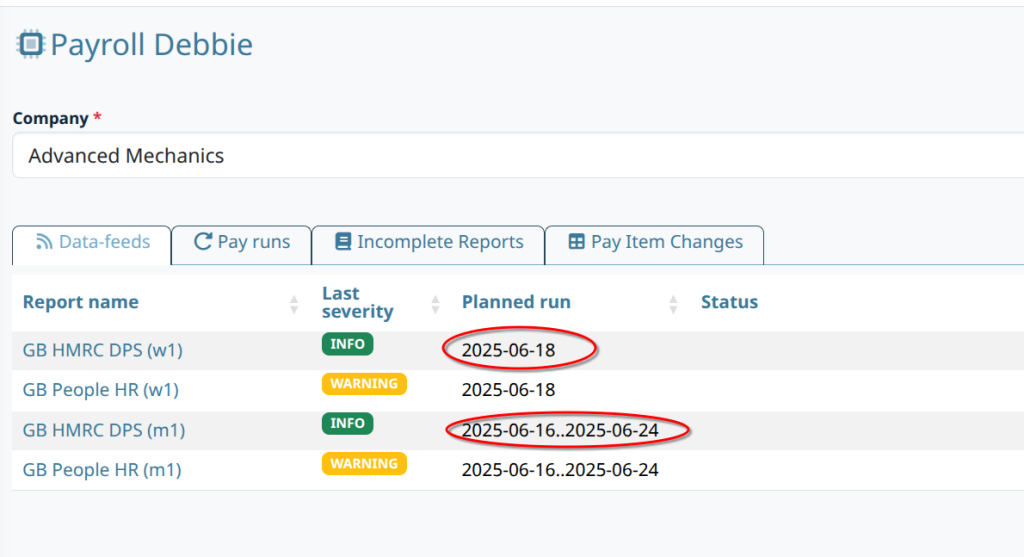
Whether the Planned run is a single day or a range of days, Debbie spreads her attempts to run tasks over the course of each day. Further:
- Debbie tries to distribute her work based on how busy the system is.
- Certain data feeds can be configured to run at a specific Time of Day.
Taken together, this means you should not rely on a task running at a particular time. You can control the planned days using the Pay Schedule.
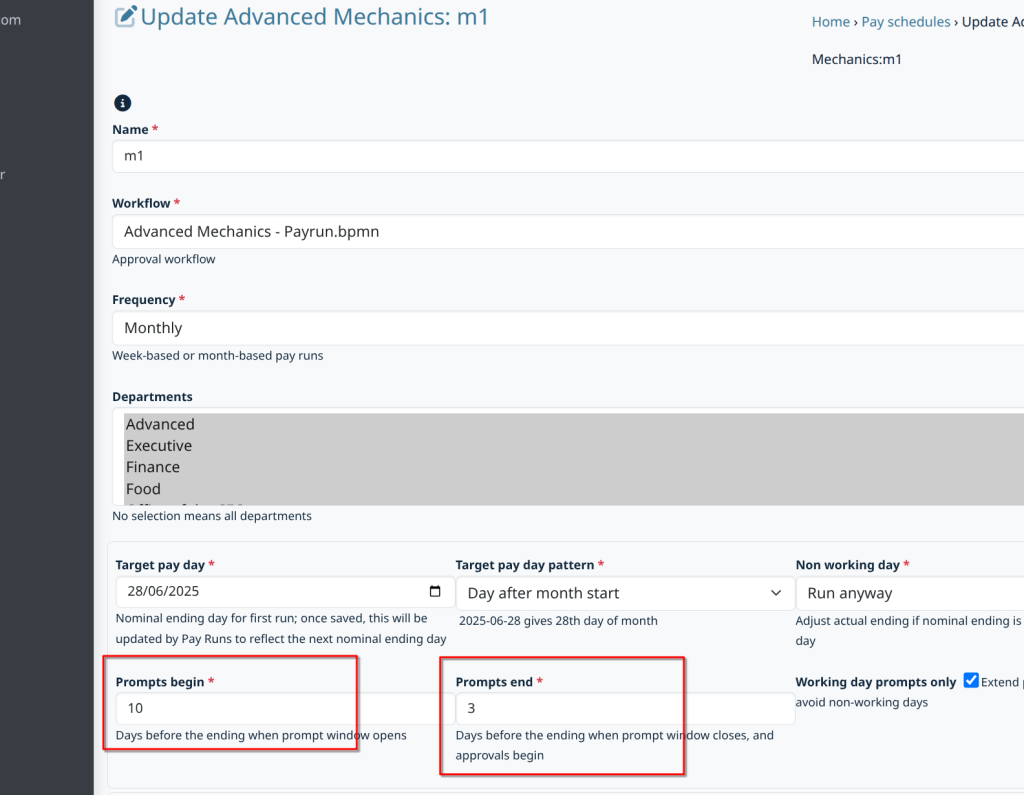
Tweaking the Pay Schedules #
Use the highlighted fields to adjust the planned dates:
For further details, please consult the documentation on Debbie.