This guide explains how to add Company-specific Occupational payout rules to the basic SSP, SMP, SPP etc. setup. There is another guide which explains how to set up the basics of SSP, SMP, SPP.
The support for Occupational Pay on top of SSP, SMP etc. is quite flexible, but you must carefully review the details of what is supported versus what you may want.
Hint: You can use the GUI to explore what is possible.
For example, to add Occupational Pay to SSP, start by reviewing the SSP “scheme” you are using, and use the GUI to configure the rules needed. Here is an example scheme; you can find yours at “Setup -> Pay Definitions -> filter by Scheme -> your SSP scheme name”. Locate the following section:
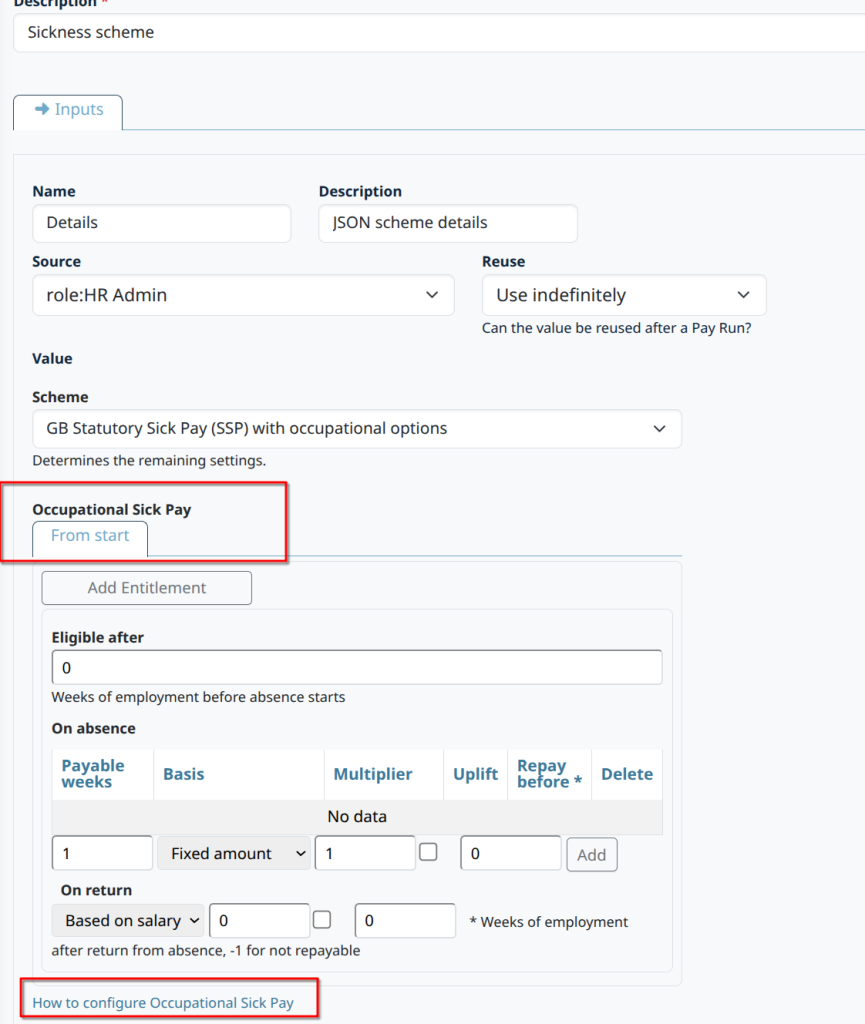
Notice there is a link to the documentation on how to set it up. Tips:
- The key concept is a period of entitlement.
- Each rule you have with a name like “Up to 6 months service” or “From 6 months to 3 years” is an “entitlement“.
- Entitlements are always expressed in weeks.
- You will need to add entitlements one by one in date order.
- Save the changes after adding each entitlement (by clicking “Update”).
- You can always modify or delete them later if needed.
Here is an example with multiple entitlements, one on each tab:
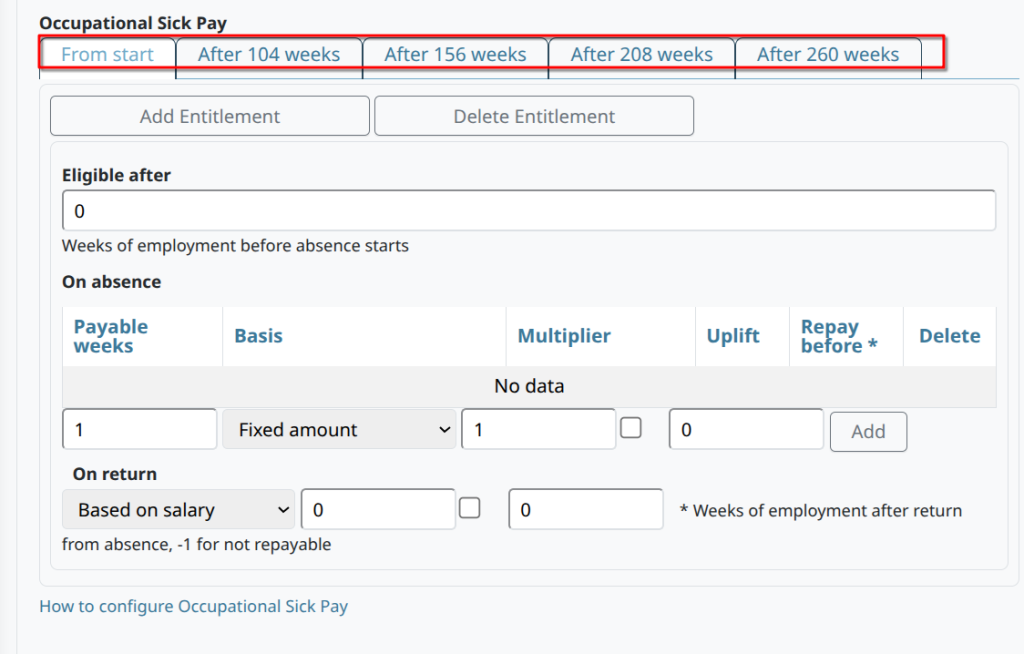
This first period of entitlement lasts 104 weeks and adds no extra pay. Here is the same scheme again, but with the second period of entitlement displayed:
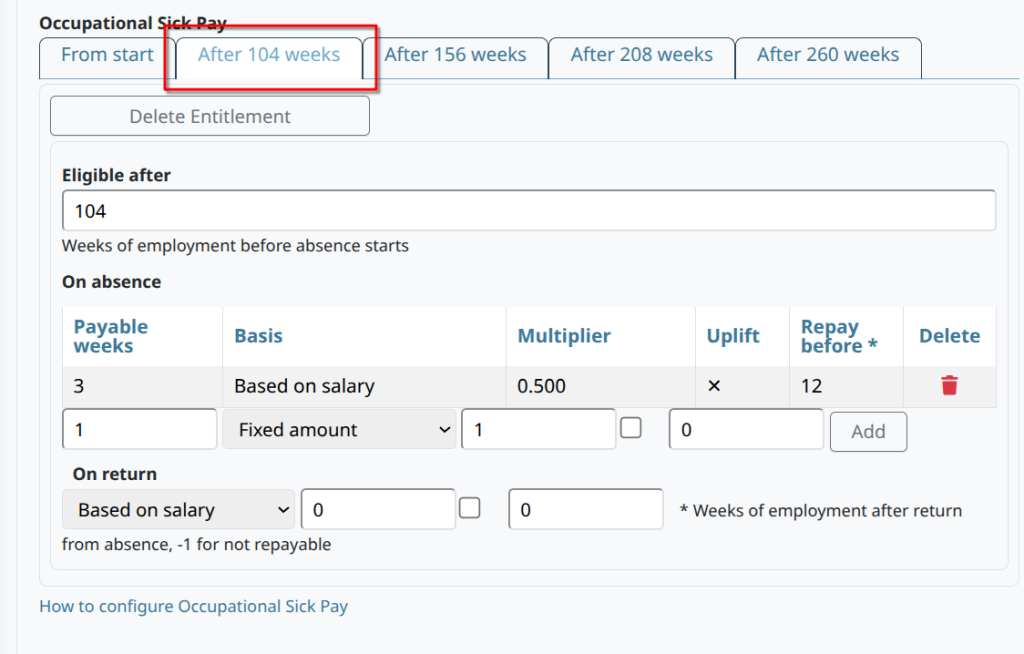
This second period of entitlement:
- It runs from 104 weeks to 156 weeks.
- It adds 3 weeks of pay, based on 0.500 x Salary, which would have to be repaid if the employment ends before 12 weeks after return.
- There is no on-return payout.
Follow the link to shown to the documentation for further details.